Director's viewfinder for Android
See the shot before the camera is on set
Pick the cinema camera and the lenses you'll shoot with. Your phone shows their exact frame — so the recce, the shot list and the lens order are right the first time.
Android 8+ · Free on Google Play · Pro $19.99 once, no subscription · 7 days of Pro on every new install
Try it: the frame stays, the world tightens — exactly what an ALEXA Mini LF with Signature Primes would see. In the app the phone switches between its own lenses for you.
What it does
Everything a recce needs. Nothing it doesn't.
Built for directors, DoPs, ACs and photographers who scout with a phone and need the numbers to be right.
The exact frame
Sensor, focal length, reducer, extender, anamorphic squeeze — the field of view is calculated and shown with the matte.
Every lens of your phone
Ultra-wide, main, tele — picked automatically with the least digital crop, including lenses phones hide from other apps.
240 lens sets
Cine primes and zooms, anamorphics with auto desqueeze, vintage photo glass, 65 mm and medium format. Search “cooke ff” or “2x 50”.
Gestures for set
Swipe through focal lengths, tap to focus, hold to lock, slide for exposure, fire with the volume keys.
Shots that remember
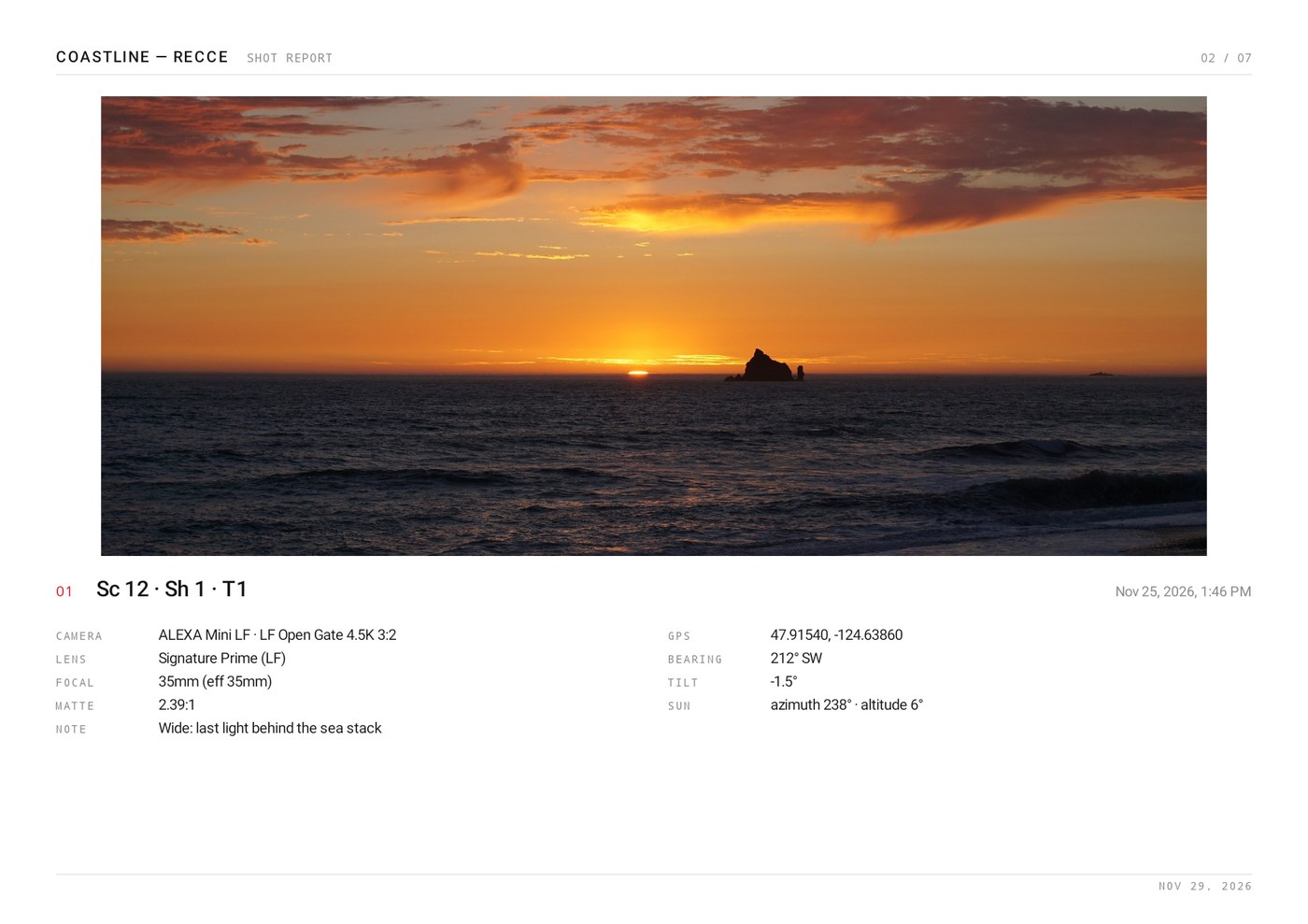
Every photo keeps its slate, camera, lens, focal length, GPS, bearing, tilt and the sun's position.
Sun and map PRO
See the sun's path over the location for any day before you set the call time.
Projects and PDFs
Recces file themselves by project and day. Send a clean PDF to the director, DoP and producer.
Private by design
No account, no ads, no tracking. Your locations stay on your phone. 18 languages.
Lens bag PRO
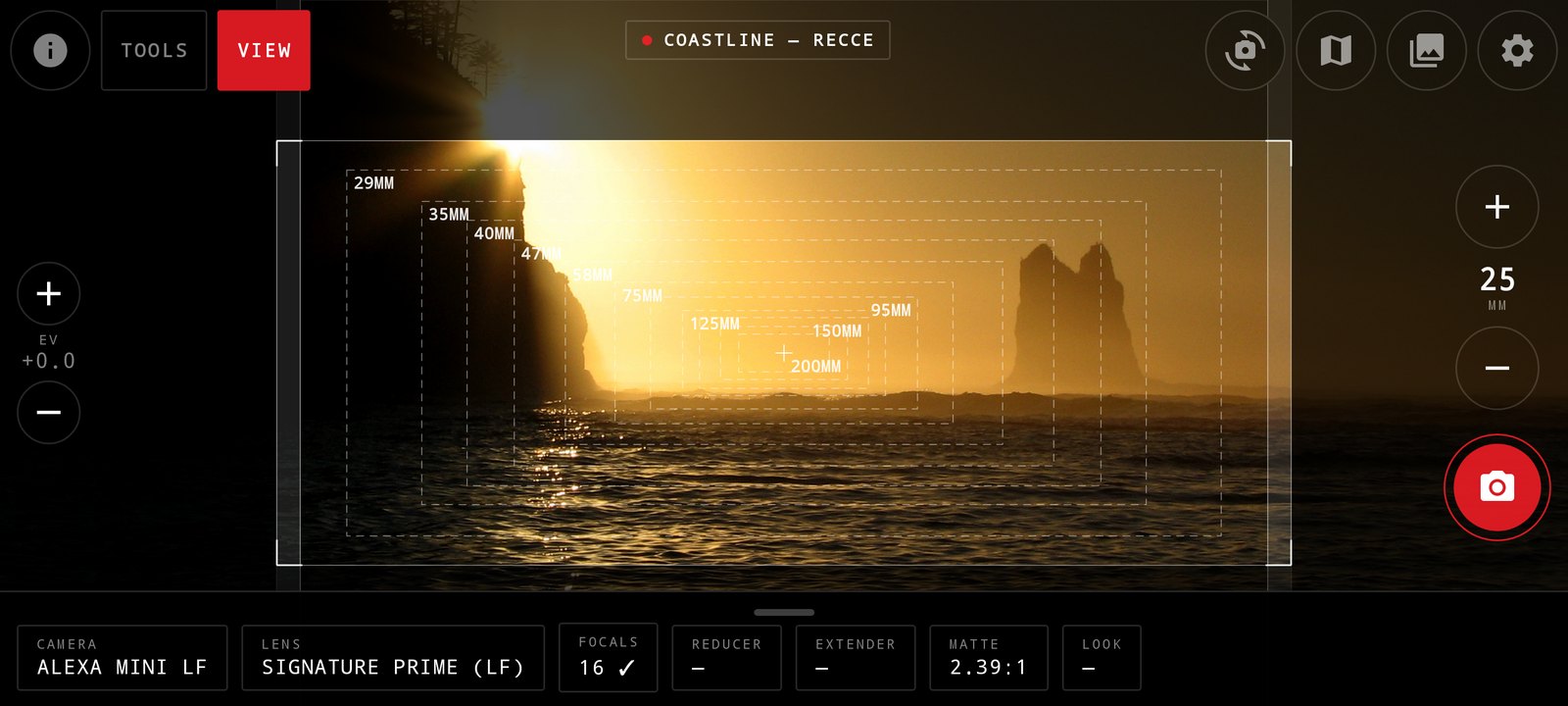
Every lens in the bag, at once.
Concentric framelines of every focal length you carry. Pick the lens before you pick the angle — and order only the glass you need.
- Framelines for every checked focal, labelled
- Works with reducers, extenders and anamorphics
- Build your own sets for rental-house kits
Shot info
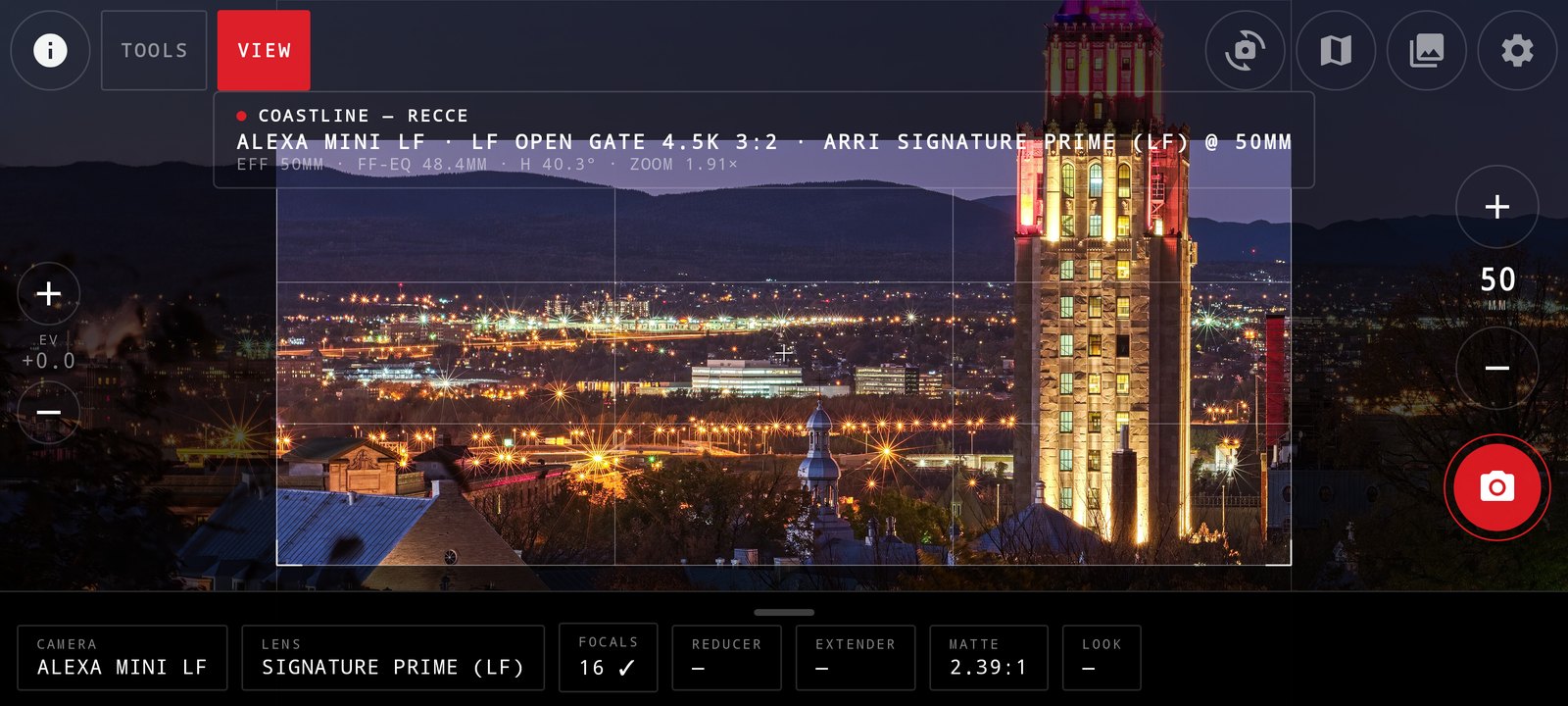
The numbers the camera department asks for.
Camera and mode, lens, equivalent focal length, angle of view, phone zoom, bearing and tilt — on screen and in every photo.
- Horizon level and composition grids
- Warns when a lens won't cover the sensor
- Slate on screen: scene, shot, take
Library
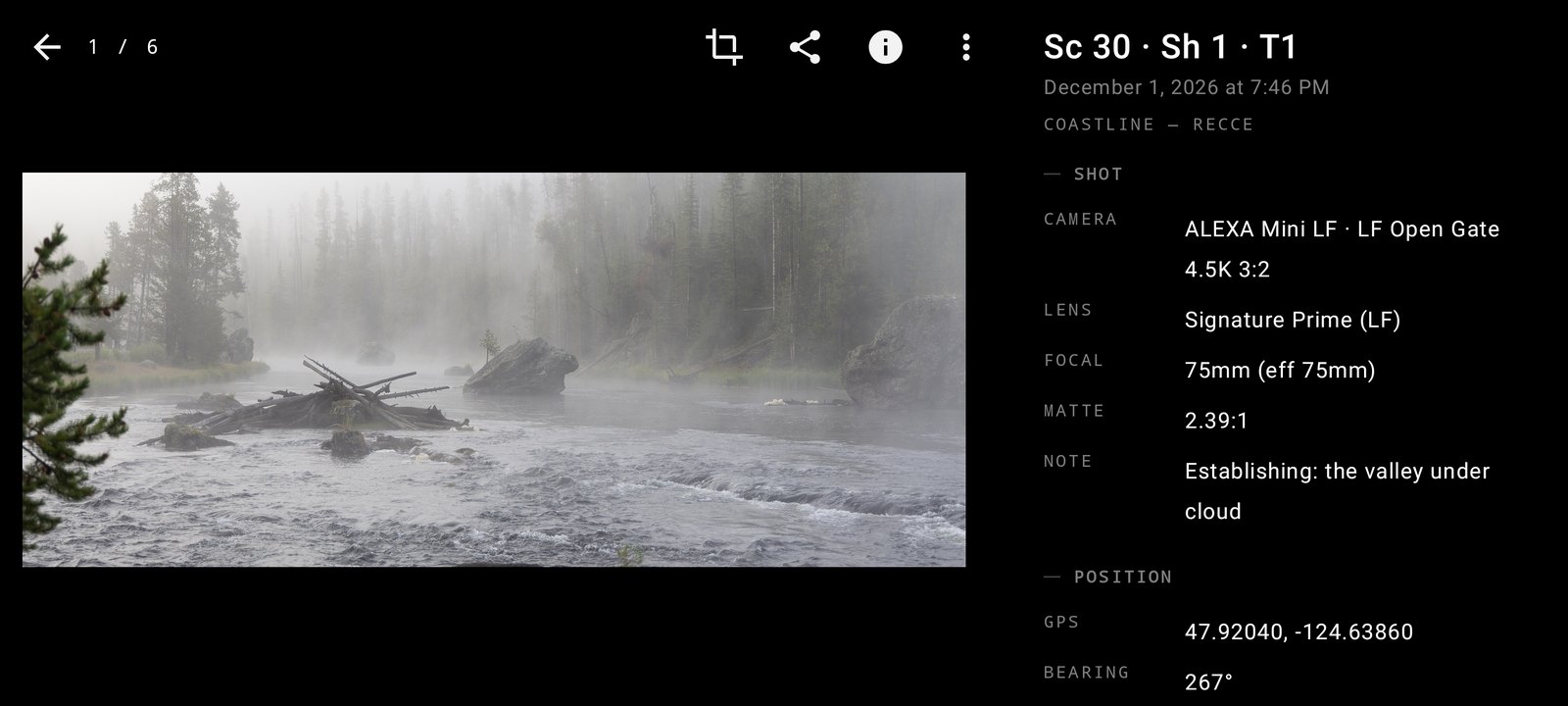
A recce that files itself.
Projects, days and slates. Clean frames without matte bars, with position, bearing and the sun beside every shot.
- Swipe, pinch to zoom, compare
- Shot lists and slates per project
- Map with the sun's path for that day
Reports PRO
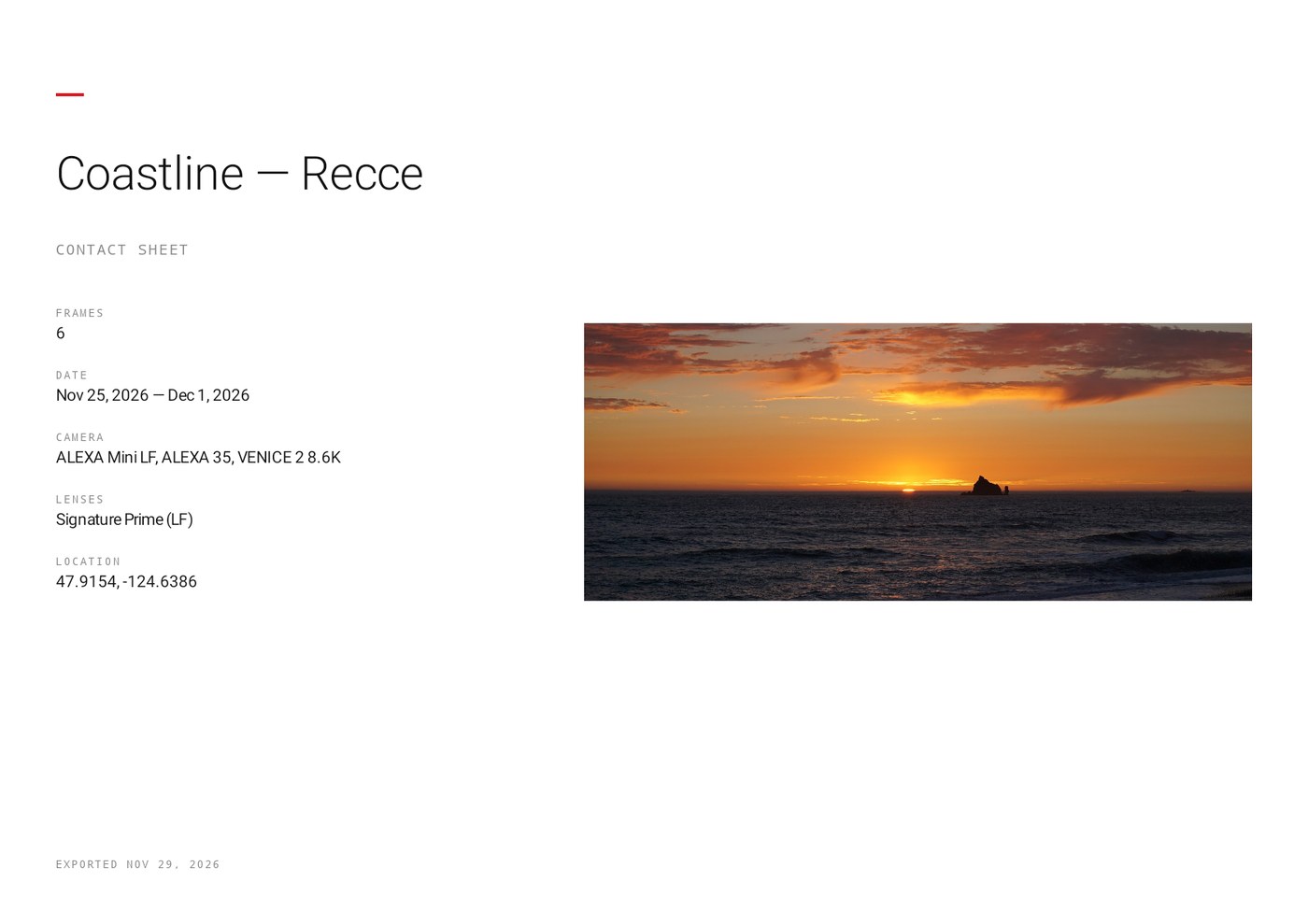
Send a document, not a camera roll.
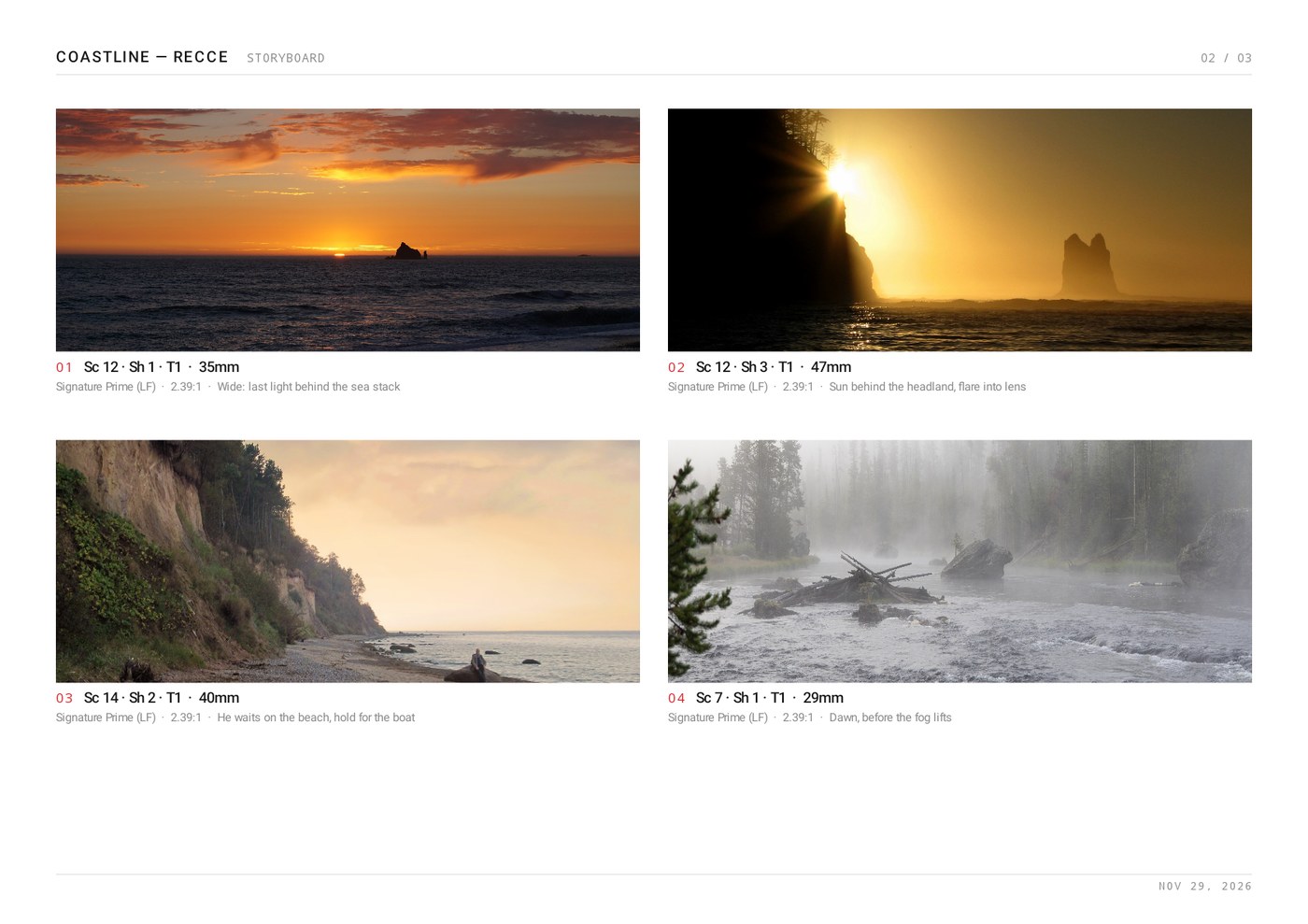
Shot report, storyboard or contact sheet — A4, quiet typography, every frame with its data. Ready for the production meeting.
- Shot report: one frame per page with map and sun
- Storyboard: four frames per page
- Contact sheet: twelve frames for a quick overview
How it works
Three steps from location to production meeting.
Choose the kit
The camera, its recording mode and the lens sets you'll rent. The aspect ratio of the film.
Walk the location
Swipe through focal lengths, find the angle, shoot. Each frame keeps its slate and data.
Share the plan
A PDF report for the director, DoP and producer — and a lens list that matches the shots.
Free and Pro
Free to try. Pro to work.
The free version frames with the cameras and lenses most crews start from — enough to feel how it works. Pro opens the whole library and everything that happens after the recce.
| Free | Pro | |
|---|---|---|
| Viewfinder | ||
| Camera formats | 8 popular bodies | All 229 |
| Lens sets | 11 spherical | All 240, anamorphics too |
| Aspect mattes | 5 main | All 24 + your own |
| Focal swipe, tap focus, exposure, level, grids, volume shutter | ||
| Lens bag framelines | — | |
| Focal reducers and extenders | — | |
| Your own lens sets | — | |
| Look: contrast, colour, white balance; creative LUTs | — | |
| Photos and sharing | ||
| Shot data and GPS for every photo | ||
| Map with the sun's path for any day | — | |
| Share and save photos | With watermark | Clean |
| Export with data: map, sun path, bearing under the photo | — | |
| Projects with shot lists and slates | 1 | Unlimited |
| PDF reports | ||
| Contact sheet | With watermark | Clean |
| Shot report and storyboard | — | |
Pricing
Less than one hour of a lens rental.
One payment, Pro for good — no subscription. 14-day money-back guarantee.
Free · Google Play
The viewfinder with the most popular cameras and lenses.
- 8 popular cameras, 11 spherical lens sets, 5 mattes
- Focal swipe, focus, exposure, level, grids
- Photos with shot data — shared with a watermark
- 1 project, contact-sheet PDF with a watermark
xViewfinder Pro
One licence key. No subscription, every future update.
- All 229 camera formats, 240 lens sets with anamorphics, every matte
- Clean photos and PDFs — including the ones you took before
- Shot reports, storyboards, unlimited projects
- Lens bag, reducers, extenders, your own lens sets, LUTs, Look
- Map with the sun's path, export with data
One-time payment in USD; your local currency and taxes are shown at checkout. Secure payment by Paddle — cards, PayPal, Apple Pay, Google Pay. 14-day money-back guarantee.
FAQ
Questions, answered.
Which phones does it work on?
Android 8.0 and newer. xViewfinder finds every rear lens of the phone — ultra-wide, main and tele — and switches between them by itself. Phones with more lenses cover a wider range of focal lengths without digital crop.
How accurate is the frame?
The field of view is calculated from the sensor size of the camera mode, the focal length and any reducer, extender or anamorphic squeeze, then matched to your phone's measured field of view. Settings include a calibration for the rare phone that reports its lenses slightly off.
What happens when the Pro trial ends?
The app keeps working as the free version: the popular cameras and lenses stay, the rest of the library and the Pro tools lock, and shared photos and PDFs carry a small xViewfinder mark. Buy Pro at any time and everything — including earlier photos — exports clean.
How do I get Pro into the app?
After checkout you get a licence key and a one-tap activation link — on the thank-you page and by e-mail. Open the link on your phone, or paste the key in Settings → xViewfinder Pro.
Does it need the internet?
No. The viewfinder, photos, PDFs and the Pro licence work offline. Only map tiles need a connection.
Do you collect my data?
No account, no analytics, no ads. Photos and locations stay on your phone until you share them. See the privacy policy.